



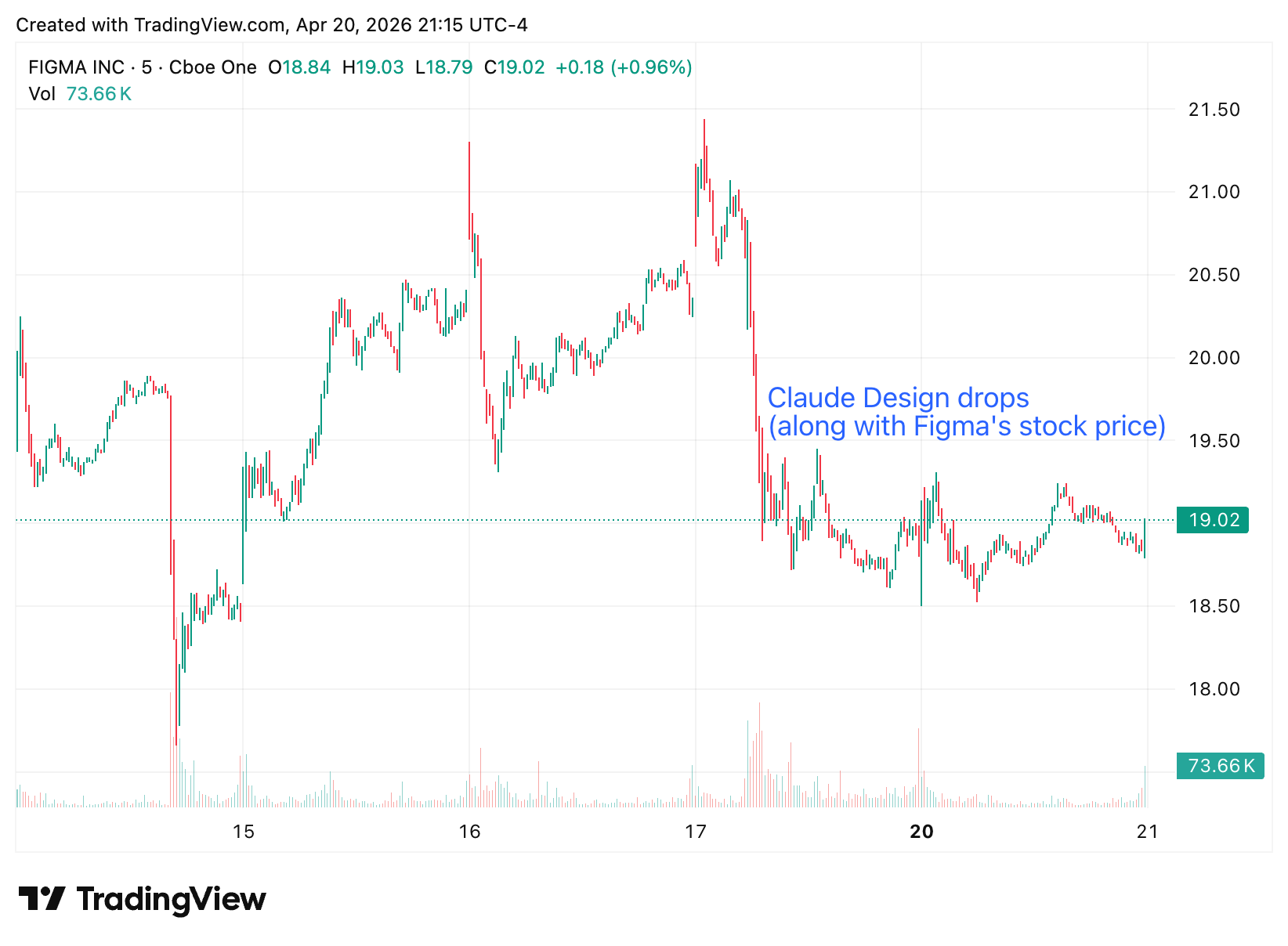
Anthropic dropped Claude Design on Friday April 17 with the same low-key confidence they seem to reserve for every launch: a short news post, a Friday rollout, and a modest caveat that this is a “research preview.” Within hours, Figma’s stock dipped about seven percent. Spoiler alert, we don’t think Claude Design is a Figma killer (yet). But we can see how it could carve off marketshare later this year as it improves.
We’ve spent the last few days pushing the tool around, feeding it brand assets, watching it stumble over responsive design, and generally trying to figure out whether this is a meaningful shift in how design tools work. What follows is a first-pass field report: what Claude Design is, where it clicks, where it struggles, and—most importantly for our readers—how to get started if you want to form your own opinion.
Browser-only—and a hungry usage meter
Claude Design lives inside claude.ai in the browser. There’s no desktop client, no mobile app, no CLI integration (not that this would make much sense). Access is live for Pro, Max, Team, and Enterprise plans, rolling out gradually. Free-tier users are out of luck for now. (Anthropic’s announcement has the full eligibility list.)
The more interesting operational quirk: Claude Design is metered on its own allowance, separate from the rest of your Claude usage. In our experiments redesigning a personal website home page (yes, just one page), that allowance burns down alarmingly fast. We hit the wall on a typical Pro session and got this friendly little error for our trouble:
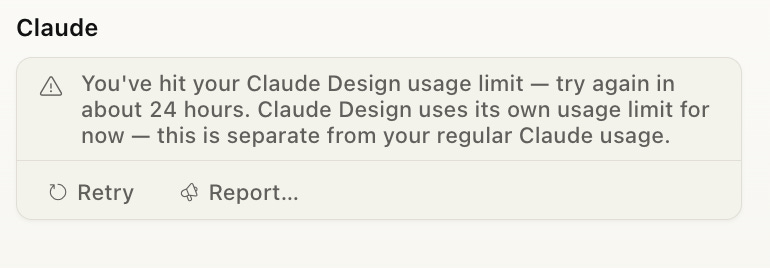
We aren’t alone: PCWorld got locked out after roughly half an hour of active design work on a Pro plan. Anthropic is softening the landing with a one-time starter credit—the docs peg it at roughly twenty typical prompts, expiring mid-July—but the real economics of using this tool at scale are still a little mysterious.
Every roundtrip—every regenerate, every new breakpoint, every “just one more tweak”—visibly draws down your meter. This is not a tool to poke at in the background of another task.
If you want to actually evaluate Claude Design, carve out focused sessions and budget for the cool-down periods. We’d love to see Anthropic publish per-prompt token costs more transparently, because right now the budgeting is vibes-based.
We suspect design as an AI task is far more compute expensive, which is probably why Anthropic’s limitations are so tight.
What we’re most excited about: bring your own design system
If there’s a single reason to pay attention to Claude Design, this is it. Every other “AI turns prompts into screens” tool we’ve tried produces the same flavor of generic, gradient-heavy Tailwind-ish output. Claude Design’s bet is that the interesting problem isn’t generating pixels—it’s generating pixels that look like your product.
We’ve already heard how UX researchers, engineers, and other design adjacent disciplines are using AI to generate prototypes and UIs. For these roles, having an AI tool loaded with the company design system will be a huge unlock.
Here’s the flow, briefly, to setting up your design system in Claude Design:
